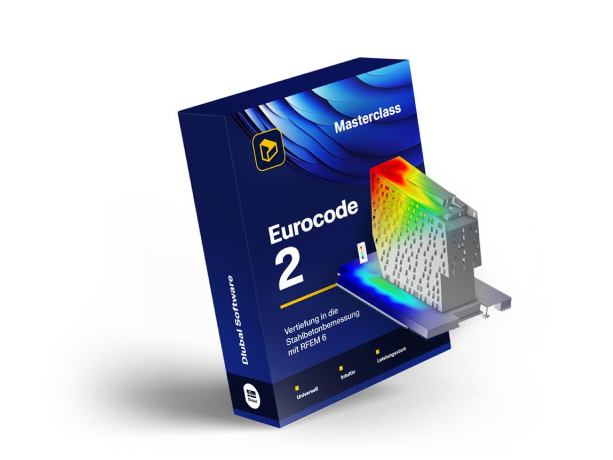
Eurocode 2 Masterclass: Dive Deep into Reinforced Concrete Design with RFEM 6!
A video course for structural engineers designing reinforced concrete to Eurocode 2 in RFEM 6. It works through member design and the ultimate limit state, surface design with concrete cover and mesh refinement, punching shear at columns, stability with buckling lengths, and serviceability including crack width and deflection, with downloadable models for every stage.
Subscribe
- Access to 300 top-rated courses, webinars,...
- Cancel anytime
- Learn more
Buy individual course
Price for language: English
Course rating
Course variant
Recommended skill level
Skills you will gain
- Activate the Concrete Design add-on and set Eurocode as the national annex in Base data
- Let the combination wizard build the load combinations for the design situations
- Configure design settings for members and member sets, including concrete cover
- Adjust longitudinal and shear reinforcement and assign design supports to members
- Set the ultimate limit state configuration for surfaces and the required reinforcement
- Refine the FE mesh where the results demand it and adjust surface results
- Insert additional reinforcement into surfaces where the basic layout is not enough
- Run the punching shear design at columns and adjust the punching reinforcement
- Determine member representatives and buckling lengths for the stability analysis
- Configure the serviceability limit state for crack width and deflection
- Assemble the design documentation as a printout report
This course includes
Modules
2h 5min6 modules23 lessons
- 0min0min
The opening lesson introduces the course on reinforced concrete structures according to EC2, with theory supplemented by practical examples in RFEM 6. It previews member design, surface design and punching shear design plus tips and tricks, and points to the free 90-day trial version and the free student licence.
- 5min5min
In the Base data window the Concrete Design add-on and the combination and classification wizard are activated, with Eurocode as the national annex. The wizard is opened from the toolbar, the frequent design situation deactivated and the load combinations checked. The self-weight is shown in the display navigator.
- 7min7min
A downstand beam is isolated with visibility by selected objects, then materials and tables are opened in the data navigator. Its second tab lists the effective widths RFEM inserts automatically, and the member set is edited from member set type through concrete cover, shear and longitudinal reinforcement.
- 3min3min
A new ultimate limit state configuration is created in RFEM 6, covering minimum reinforcement percentage, required shear reinforcement and the shear joint, which needs activating on two levels. The spare configuration is deleted, Objects to Design keeps member set number one, and Show Results starts the calculation.
- 2min2min
In RFEM, the results table is viewed by member and the results navigator shows the required reinforcement and the provided 9.42 square centimetres. More is needed at the beginning, end and middle of the beams, so the other results and stirrups are deactivated, leaving the missing longitudinal reinforcement to put in.
- 11min11min
Opens the member set from the data navigator, sets concrete cover XC3 on all sides and splits the shear reinforcement into 5 sections. The rebar type is set to unsymmetrical, added bars are offset 50 millimetres from the stirrup, and 3 top bars over the middle column get straight 40 centimetre anchorage.
- 3min3min
Two design supports are created in RFEM 6: an edge support with a monolithic connection, and a middle one set as the inner support for the column underneath the downstand beam. Assigned to the start, end and middle, they divide the 13 metres into 2 fields of each 6.5 metres before show results is run again.
- 3min3min
The results table lists the ULS, SLS and detailing checks; a double click opens the design internal forces, check values and formulas. The result navigator shows required and provided reinforcement, with nothing not covered on the longitudinal bars. The wireframe model shows 10 and almost 9 not covered on the stirrups.
- 5min5min
In RFEM 6, surface 15 is assigned to the ultimate limit state configuration, deleted from the serviceability one and entered on the Objects to Design tab. Its options are then set: design method, internal forces diagram used for design, minimum, maximum and shear reinforcement, and the neutral axis depth limitation.
- 5min5min
Double-clicking the surface opens its options: the concrete cover, which affects the effective height and inner lever, and a Q424A mesh as surface reinforcement top and bottom. With the ultimate limit state design configuration assigned, show results and visibility by selected objects leave only the slab visible.
- 9min9min
The minimum required reinforcement is set to user defined in the ultimate configuration, with separate layers and directions, so it appears everywhere. FE mesh refinements with a radius of half a metre are added at the selected nodes. The value rises from about 37 to 52 and the red area shrinks, a typical singularity.
- 4min4min
A Surface Results Adjustment under Special Objects is assigned to surface 15 with half a metre per side and copied to the other nodes by drag and drop. Recalculation smooths the result from about 52 to about 30 square centimetres, leaving 2.5 square centimetres per metre of not covered reinforcement in direction one.
- 6min6min
A free rectangular surface reinforcement is added on surface number 15 between two diagonal nodes, bottom only. Diameter 8 gives 3.4 square centimetres per metre against 2.5 needed, and recalculating shows the area covered. The spacing is set to auto, optimised to 20 and 24 centimetres, then left at 15 centimetres.
- 6min6min
All result values are displayed, then a new printout report is created in the data navigator and reduced to concrete design results. Pictures are inserted with print graphics to printout report, set to window filling and window to print to multiprint. The language is set from 11 languages before export to a PDF file.
- 6min6min
In RFEM, punching shear design is activated on the selected nodes of surface number 15, and the default concrete design configuration is edited on its punching tab, setting the constant method for the beta factor. In objects to design, the members are deleted, the node numbers inserted, and show results is clicked.
- 4min4min
Design ratios on nodes are evaluated: node 51, a wall end, opens the design formulas and the smoothed versus actual force, and column 63 gives the inner column beta factor 1.10. Reinforcement values are then shown on the surfaces, and the outermost control perimeter marks where the reinforcement has to be increased.
- 5min5min
In the data navigator a free rectangular surface reinforcement is set on the slab, top side only, 14 mm at 10 cm spacing over 2 by 2 m. It is copied to the other nodes for five areas, then edited to 20 mm and 2.5 m. Show results and design ratios on nodes still flag punching reinforcement at a column and a wall end.
- 4min4min
Creep and shrinkage are activated in the time dependent properties of concrete tab and for one thickness under advanced time dependent properties. Member representatives are then activated in RFEM 6 base data with comments; each group selects its members at once and is renamed, one to column first floor.
- 6min6min
Ground floor columns are edited at once via the member representatives, where a concrete effective lengths entry sets buckling around DY and DZ as braced. The first floor repeats it with 4 bars instead of 8. Both are calculated in the tables in two ways: from copied member numbers and from the member representative.
- 3min3min
The columns are shown as a wire frame model with bending moments for the ultimate limit state. Calculating separate members is compared with member representatives, which show only the worst case column. Details on the design give the 2nd order bending moments in both axes and the formulas for the printout report.
- 6min6min
The Serviceability Configurations in RFEM 6 are assigned to middle slab 15. Crack analysis keeps the standard limit values with direct crack width calculation, and the option without it is only demonstrated, since its tables hold crack width to 0.2 to 0.4 mm. Resistance of concrete between cracks is then activated.
- 4min4min
Double-clicking the surface opens its last tab, Deflection, where the surface type and a parallel surface displacement reference are set and the reference length is set manually with Measure between two columns. The options set only the design check limit; Show results displays the quasi-permanent load combinations.
- 8min8min
Deflection and the design ratios on surfaces table are reviewed for the serviceability limit state, then reinforcement is copied from the previous model via the Edit menu to fix the failing areas. The global add-on settings dialog box switches off automatic result deletion, freezing results while editing.
Who this course is for:
- Structural engineers designing reinforced concrete structures to Eurocode 2
- Design engineers moving from hand calculations to concrete design in RFEM 6
- Engineers who model in RFEM 6 and now need the Concrete Design add-on
- Checking engineers who audit reinforced concrete verifications produced by others
- Senior students and recent graduates entering reinforced concrete practice
Application areas:
Industry:
Standards:
Role:
Product:
Meet your coach

Dipl.-Ing. Praxitelis Dimitriadis
Marketing Manager
Praxitelis manages video marketing and social media content. He also oversees the Online Learning Academy and its ongoing development.


Related Courses