
New Features for Cross-Section Modeling and Design in RSECTION
Four recent enhancements to cross-section modeling in RSECTION, each shown on a working example. Sub-panels, the c/t parts behind cross-section classification to Eurocode 3, can now be defined manually, so two cold-formed C-sections screwed back to back can treat the screws as supports and still be designed. Editing an element now regenerates its part automatically, curved and circular stirrups and bars along arcs simplify reinforcing concrete sections, and layers group, hide, and lock objects in complex models.

Webinar language
 English
Recommended skill level
Skills you will gain
- Define sub-panels manually so that screw connections act as supports in a cold-formed section
- Model screws as zero-thickness elements and see why giving them a thickness makes a cold-formed section non-designable
- Keep parts consistent with their elements through automatic regeneration during element modification
- Reinforce an obround concrete section with a curved stirrup, bars along an arc, and a rotated copy
- Organize a complex cross-section model in layers that can be colored, hidden, and locked
This webinar includes
Webinar content
Andreas Hörold introduces Sonja von Bloh, who develops RSECTION and the Aluminum Design add-on. Sonja sets out the four enhancements of the session: manually defined sub-panels, improved editing of elements and parts, new reinforcement features for concrete sections, and layers for organizing larger cross-section models.
Sub-panels correspond to the c/t parts of Eurocode 3 and Eurocode 9 and drive classification. Two cold-formed C-sections screwed back to back show the problem: screws modeled as zero-thickness elements do not subdivide the web. Defining the sub-panels manually fixes that, while giving the screws a thickness would change the properties and, as RFEM shows, make the section non-designable.
Changing the thickness of an element used to leave its part behind, so the model became invalid until the part boundary was redrawn by hand. Automatic regeneration during element modification now keeps the two consistent, and parts can be created or deleted for elements selected beforehand or in the command's dialog.
Stirrups can now follow curves or full circles, longitudinal bars can be spread along arcs, and reinforcement can be moved, copied, mirrored, and rotated. An obround section from the library is reinforced with a closed stirrup along its straight and curved edges, bars along an arc and along a straight edge, and a rotated copy for the opposite side.
The layer manager groups objects so they can be shown, hidden, or locked against accidental edits, and new objects land on the current layer automatically. In the example, reinforcement and its dimensions are moved to their own colored layers, displayed by layer color, and isolated by hiding the default layer.
Who this webinar is for
- Engineers designing built-up cold-formed steel members, such as C-sections connected back to back
- RSECTION users who edit complex thin-walled sections and lose time redrawing parts by hand
- Engineers modeling reinforced concrete sections with curved outlines that previously needed workarounds
Application areas:
Industry:
Standards:
Role:
Product:
Webinars review
I would like to thank you for the webinar on "Torsional Warping (7 DOF)". It was one of the best webinars I have ever seen. Thanks to your clear explanations and illustrative examples, I finally understood several things that I had not fully understood before.
Ing. Aleš Kupča
Statika KUPAL s.r.o.
I really enjoyed the coaching course on dynamic analysis. … It was a good introduction to the seismic design. A particularly positive feature is the option to use the various tools used in the training by downloading a demo version during the training—that was a really good addition.
Karen L.
TÜV NORD Ensys GmbH & Co. KG
I am a student at the Technical University in Nuremberg and am currently working on my master's thesis using Dlubal Software (RSTAB). The coaching course on dynamics (EC 8) was very helpful for me. The course was conducted in an extremely professional manner.
Gleb Chernyshev
Germany
The Concrete Structures EC2 with RFEM 6 course content was very satisfactory and well-structured, making it easy to follow. … In short, the course is interesting and introductory—a perfect introduction to the topic.
M.Sc. V. Zinkevych
Obermeyer Holding GmbH
I would like to thank you for the opportunity to try out RFEM 6. … I would like to mention that I'm excited about how much information and webinars you share.
Ing. Ida Grünwaldová
Czech Republic
Was an excellent Webinar | 2018 NDS CLT Design in RFEM 6! Thank you.
Juan Alberto Tello Fuente
CUMBRA INGENIERIA
Due to your webinars and test versions, I started a new job as structural engineer on January 1, 2023. For this, I would like to thank you and your team.
Dipl.-Ing. Ayman Al Shouha
Germany
Unfortunately, I didn't have the opportunity to follow the live webinar, but due to your recording, which I've watched, I am very excited about the current possibilities of RFEM 6. … I was particularly impressed by the speaker!
Prof. Dr.-Ing. Henning Lungershausen
University of Applied Sciences, Trier
Thank you, the webinar "The Most Common User Errors with RFEM and RSTAB" was very informative!
Dipl.-Ing. Adam Balogh
ThyssenKrupp Industrial Solutions AG
I would like to thank you again for the very good webinar "Stability Analysis in Steel Structures with RFEM and RSTAB". In some points, I was able to get clarity and it helped me a lot. I will probably use this more often in the future.
Dipl.-Ing. Johann Mair
MÜHLBERG Beratende Ingenieure GmbH, Mühlberg + Mair Beratende Ingenieure GmbH
The "Soil-Structure Interaction in RFEM" webinar presentation was excellent and the topic was very interesting.
Prof. Lazaros Vasiliadis
Democritus Univestity of Thrace (DUTH)
The webinar "Design Cold-Formed Steel Sections According to EC3" was great. It was my first webinar and I would like to follow more in the future. Especially for new users/students like me and if too fast, it is very good that it is recorded and you can watch it again.
Veronika Klöck
Germany
Thank you for the webinar "Design Cold-Formed Steel Sections According to Eurocode 3." I really liked it. The webinar recordings are a real plus point. Continue to do so!
Bernd Jäckel
Gesellschaft für Planung und Vermessung mbH
I really enjoy watching the webinars you showcase on YouTube. They helped me to convince my client to recently purchase RFEM. They provide a wealth of information.
William Lefort, P.Eng.
Danwill Canada
I have watched the webinar recording "Design of Cross-Laminated Timber Panels (CLT) According to Eurocode 5" on YouTube, and I am impressed by the program and the very good presentation.
Dipl.-Ing. Lothar Reichle
Ingenieurbüro für Statik und Baukonstruktion
The webinar about RWIND Simulation was very successful! From now on, it is possible to analyze wind forces on geometries of objects that are not regulated in the standard. The wind force assumption according to the standard was often a more or less good estimate.
DI Dr. techn. Wolfgang Billensteiner
Civil Engineering Office DI Dr. Tech. Wolfgang Billensteiner
Your webinar on RWIND Simulation was very impressive. Like the speakers at the info days, the speaker confidently described the performance of the new program.
Ing. Johann Tauß
Austria
RSTAB is a software program that I recently discovered and which is very helpful for the calculation of steel structures. With the webinars available on the Dlubal website, I have familiarized myself with the various functions of the program.
Daisy Amila
Algeria
I watched the webinar "Dlubal Information Day Online 2014 – Part 2: RFEM 5 – Structural Analysis with Finite Elements for Concrete and Steel Structures" from 2014. It is a good and powerful video!
Dipl.-Ing. Thomas Steinkühler
Bojda Planungsgruppe
I've attended the webinar on glass design. Excellent explanation. I don't design glass structures; however, it was very interesting to explore the potential of the software.
Ing. Simone Luca Tanghetti
Studio Tanghetti
I've been using Dlubal's programs for most of my university studies. In the beginning, RFEM was far from being a mainstream software, so I didn't have many colleagues to advise me, but thanks to the well-designed controls and webinars, I quickly learned how to work with it.
Ing. Martin Závacký
Brno University of Technology
The webinar Timber Connection Design in RFEM and RSTAB was very successful! I am particularly pleased that you explained how to select the SFS intec dowel system WS-T. Thank you very much!
Caroline Göttlein
SFS intec
Instructors
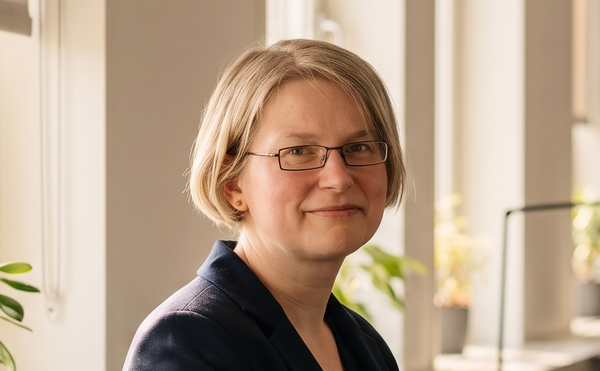
Sonja von Bloh, M.Sc.
Product Engineering & Customer Support
Sonja develops RSECTION and the steel and aluminum structure features and supports the users working with those sections and materials.



Dipl.-Ing. (FH) Andreas Hörold
Marketing & Public Relations
Andreas creates technical content and public relations material for Dlubal and hosts the company's webinars in German and English.

Related Webinars


