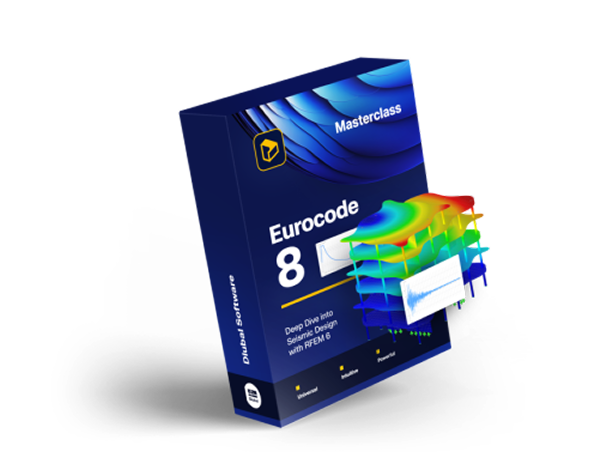
Eurocode 8 Masterclass: Dive Deep into Seismic Design with RFEM 6!
A video course for structural engineers designing buildings for seismic actions to Eurocode 8 in RFEM 6. It covers the ground types and the Geo-Zone Tool, modal analysis and effective modal masses, the response spectrum method with torsional effects and second order effects, the Building Model add-on for multi-story structures, and pushover analysis with plastic hinges.
Subscribe
- Access to 300 top-rated courses, webinars,...
- Cancel anytime
- Learn more
Buy individual course
Price for language: English
Course rating
Course variant
Recommended skill level
Skills you will gain
- Read ground types and seismic parameters for a site from the Geo-Zone Tool
- Set up a modal analysis in RFEM 6 and choose the number of modes to calculate
- Build the seismic mass combination and read the effective modal masses
- Create and edit a response spectrum and generate the load cases from it
- Combine modal contributions and directional components for the design situation
- Account for accidental torsional effects and for second order effects
- Model a multi-story structure with the Building Model add-on and load its floors
- Define member hinges and run a pushover analysis with its calculation diagrams
- Read the performance point and check it against the target displacement
This course includes
Modules
2h 29min5 modules29 lessons
- 1min1min
The instructor introduces the Eurocode 8 seismic design course in RFEM 6, outlining modules from standards basics through the multimodal response spectrum method and nonlinear design methods. Free models and materials are downloadable, a certificate is issued, and a free 90 day RFEM 6 trial is offered.
- 3min3min
The 5 chapters are listed: standards and the Geo-Zone Tool, design methods, multimodal response spectrum analysis, the building model add-on, pushover analysis. Eurocode 8 and its 6 chapters follow, with the modal, response spectrum, pushover and time history analysis add-ons and a soccer stadium customer project.
- 5min5min
Ground types A to E are explained, then the Geo-Zone Tool is opened, set to Eurocode 8 and United Kingdom, giving a PGA of 0.02 times G for London. Switching to Germany's DIN 4149 shows a seismic zone and subsoil class, and the tool's AGR, S and Q values feed the design spectrum, versus the elastic response spectrum.
- 5min5min
Compares Eurocode 8 methods: simplified response spectrum analysis for regular structures, and multimodal response spectrum analysis when a mode's modal mass is below 85%, aiming for 90% of total mass. Also covers pushover (capacity spectrum, N2, displacement coefficient) and nonlinear time history analysis.
- 6min6min
Opens a simple steel structure with two concrete surfaces in RFEM and keeps the base data window on a 3D model with members and surfaces, activating the modal analysis add-on and choosing Eurocode with the German national annex. Reviews the load cases: self weight, imposed loads on roof and floor, wind in X and Y.
- 5min5min
Creates a load case named modal analysis with Analysis Type set to Modal Analysis, then adds a 10 ton nodal mass that can be edited, moved or deleted. Revisits the Eurocode mass combination: self weight plus live loads scaled by psi E,i, phi equal to one for roofs and 0.8 for correlated occupancies.
- 7min7min
Sets Modal Analysis Settings to 28 user defined modes solved by Lanczos, with only X and Y directions active. Creates a seismic mass combination psi E,i design situation, auto building self weight plus 30% of load case 2 and 21% of load case three, then assigns it in load case number six.
- 6min6min
Clicks calculate all for the 28 modes, then works through the results: mode shapes, natural frequencies, effective modal masses of at least 90% per direction, masses in mesh points, mode shape scaling to one and table filters. Closes on the static results, normal and shear forces, surfaces and supports.
- 2min2min
Explains the theory of mode shape determination: eigenvalue analysis gives the natural frequencies and mode shapes, and enough modes must be included to reach 90% of the total modal mass. Presents the 5% modal mass factor rule, RFEM's automatic selection with it, and the advice to verify the total afterwards.
- 5min5min
Opens the second example, a concrete structure, whose load case number 5 reaches only roughly 35 to 39% effective modal mass in X and Y. Sets neglect masses to user defined for the 80 centimeter base plate surface, keeping its stiffness, and recalculates to round about 90%, checked in the results navigator.
- 3min3min
Reviews the table of seismic zone, ground type, importance category and behavior factor, typically 1.5, then activates Response Spectrum Analysis in edit model and base data. Creates a load case of that type and opens the response spectrum step for X and Y with importance class and behavior factor 1.5.
- 2min2min
Creates a load case named response spectrum with analysis type Response Spectrum Analysis, available since Response Spectrum Analysis was activated in Edit model and base data. Selects load case number six, the modal analysis, to import, leaving spectral analysis settings and accidental torsion for later lessons.
- 7min7min
Activates X and Y, generating spectra per Eurocode 8 part one and the German National Annex of 2023. The Athens 1999 accelerogram is shown but canceled, so definition type stays according to standard, with ground type R, peak ground acceleration 0.8. A 0.05 modal mass criterion leaves modes one, two, seven and 13.
- 4min4min
Covers eccentricities E0, E1 and E2, with E1 calculated per section 4.3.2 as 0.05 times the building length, giving the torsional moment at each FE mesh point. In RFEM, activates accidental torsion, where the 5% eccentricity and building length generate automatically unless a user defined building length is enabled.
- 4min4min
Explains combining modal responses in X and Y with SRSS or CQC, then directions with SRSS or the recommended 100% 30% rule. In spectral analysis settings, selects CQC and saves results for all selected modes, then activates the scaled sum for the 100% 30% rule, adjustable to 40% for other national annexes.
- 3min3min
Deactivates accidental torsion and runs calculate all, then reviews deformations, 9.6 millimeters for mode one in Y and 1.8 millimeters for mode seven in X, plus the scaled sums envelope. Shows member and surface results, the envelope values with max and min active, and a deformation animation.
- 5min5min
Creates a ULS seismic design situation, setting the combination wizard to result combinations, where wind has factor 0, dead load 1.0 and live loads 0.3 under the 100% 30% rule. Adds a classical ULS design situation, then a second result combination holding all its load combinations, shift selected, for comparison.
- 8min8min
Copies two members to a free position at the structure's full height, sets member type to result beam and integrates stresses and forces from listed objects. Calculated shear force is 39.3 kilonewtons for result combination two against 56 for the governing seismic combination one, compared in two tiled windows.
- 2min2min
Explains factor theta: below 0.1 second order effects are ignored, between 0.1 and 0.2 they must be considered, above 0.3 the structure is unstable. Checks theta for the roof and the middle floor in the presentation, finding both below 0.1, so second order effects are not required here.
- 3min3min
Explains the Building Model add-on in RFEM 6: it groups floors, auto generates result sections for walls, ceilings and beams, and shows floor displacements for dynamic analysis. Covers the fixed to top, fixed to bottom and proportionally options, plus the rigid diaphragm that reduces the 90% equivalent mass problem.
- 9min9min
In RFEM 6, activates the Building Model add-on from Edit Model and Base Data, Add-ons tab, then creates building stories with New Building Story. On an existing story, sets Story height modification to fix to top and types 6 meters, then to proportionally, showing the openings shift differently each time.
- 9min9min
Calculates a response spectrum load case importing the modal analysis from load case number 4. Reads 10 modes and over 90% modal mass in X and Y, then views results by stories: story actions and interstory drifts. Adds a new shear wall with generate result sections, recalculates and shows the 3rd story in wire frame.
- 4min4min
Covers the theory of pushover analysis in RFEM 6, available also in RSTAB 9, centered on the N2 method from Eurocode 8. Explains the pushover curve (capacity curve), converted to an acceleration and intersected with the response spectrum to give the performance point, checked against 150% of the maximum deformation.
- 6min6min
Opens example 3, a steel structure with hinges and supports, and activates the pushover analysis, which also enables modal analysis. Member Hinges are set to Plastic FEMA 356 for the Y and Z axes. A seismic mass combination psi E,i design situation and a modal analysis load case follow, covering the linear part.
- 6min6min
Creates a load combination of analysis type pushover analysis, direction Y, modal analysis load case, uniform normalized displacements. Pushover Analysis Settings keep limit deformation at 300 millimeters, and a new response spectrum uses standard EC 8, elastic shape, ground type E, 3 meters per square second.
- 4min4min
Runs Calculate All, and the pushover analysis increases displacement up to the 300 millimeter limit while the hinges stay yellow and elastic. The results tab compares a DT value of 120.3 against an M value of 120.7, converging to under 5% difference after one iteration.
- 5min5min
Creates a Pushover ADRS calculation diagram on the 10.5 meters per square second response spectrum and load combination two, vertical axis set to bilinear capacity. The performance point gives a DT value of 120.3, matched in the results navigator to load factor 45, and the structure can still absorb more load.
- 3min3min
Creates a response spectrum to standard EC 8, ground type other, peak ground acceleration 6 meters per square second, then copies it into a third one set to 12. Pushover Analysis Settings get 800 millimeters limit deformation and one option is deactivated. The pushover combination is copied twice, one per spectrum.
- 4min4min
Runs Calculate All, then creates two Pushover calculation diagrams with the comparison result type, for load combinations three and four. One keeps calculating to the end, completely plastic, the other reaches a maximum displacement of around 800 and intersects in the plastic section, leaving orange plastic hinges.
Who this course is for:
- Structural engineers designing buildings for seismic actions to Eurocode 8
- Engineers who model in RFEM 6 and now need the dynamic analysis add-ons
- Designers working in seismic regions who need the response spectrum method
- Checking engineers who audit seismic verifications produced by others
- Senior students and recent graduates entering earthquake engineering practice
Application areas:
Industry:
Standards:
Role:
Product:
Meet your coach

Dipl.-Ing. Praxitelis Dimitriadis
Marketing Manager
Praxitelis manages video marketing and social media content. He also oversees the Online Learning Academy and its ongoing development.


Related Courses



€299.00